https://github.com/hobbo91/BetterBright
Features
- Remembers brightness state when launching games / rebooting / waking / exiting to XMB
- Fully customisable brightness levels, with 11 sensible per-model defaults if you don't set your own
- Configurable key combo to set brightness level up or down without cycling (the Display button still cycles as normal)
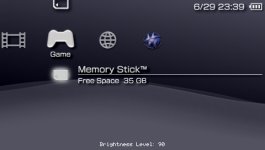
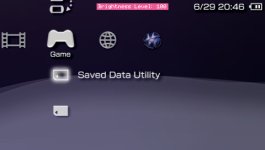
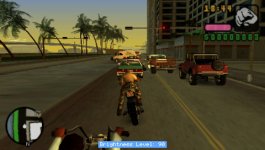
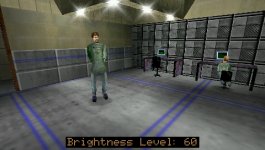
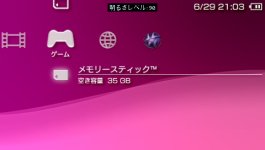
- Option to display the current brightness level (OSD)
- Shows in XMB, (most) games, PS1 and homebrew
- Customise the OSD position, size (1x-4x), background and text colours
- The "Brightness Level" label shows in your system language
- Option to choose a custom "dim" level
- Option to disable display dimming / backlight auto-off ("Power Save")
- Option to disable console sleep ("Power Save") (use with caution)
- Developed and tested on 6.61 / FasterARK and ARK-4, should work fine with 6.60 - older firmwares untested
How to use
Press the PSP's Display (brightness) button as normal to cycle through the brightness values you list in BetterBright.ini.With the included .ini (combo_mode=1) you can also hold L or R Trigger + tap the Display button: R = brighter, L = dimmer. See combo_mode below other schemes.
e.g. L+R + Up or Down when you set combo_mode=2
Installation
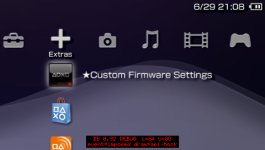
Put BetterBright.prx and BetterBright.ini together in your plugins folder and enable BetterBright in the ARK Custom Launcher.https://github.com/PSP-Archive/ARK-4/wiki/Plugins
(The included vsh.txt / game.txt / pops.txt in the legacy folder are only for loaders that still use seplugins-style text files. Do yourself a favour and just use ARK-4 or FasterARK, it's way better.)
Feedback welcome - I literally made this so I could use the full brightness on my PSP 2003/3000 and it not crash or reset every time I launch a game.